LogoShinePhone App
  • Features
  • Blog
  • Docs
Free · iOS & Android · v8.4.8.0

ShinePhone App — your Growatt solar & battery, in your pocket.

Monitor power generation, battery state of charge, household load and grid flow in near-real time. Pair a Growatt inverter, hybrid system or micro inverter and run everything from one app.

Download on theApp StoreGet it onGoogle Play
Free download1M+ installs16 languages
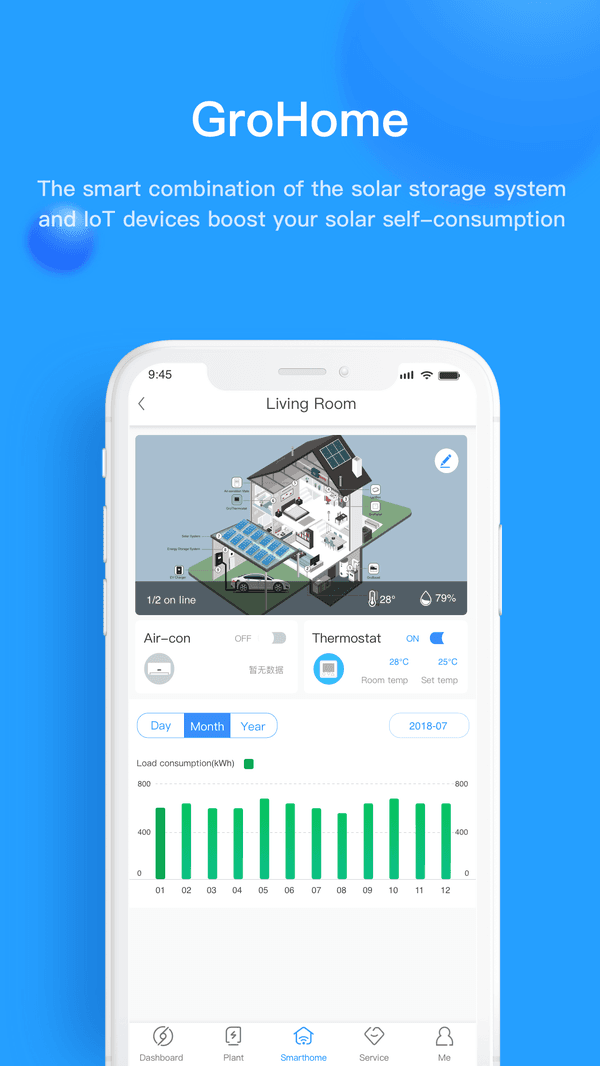
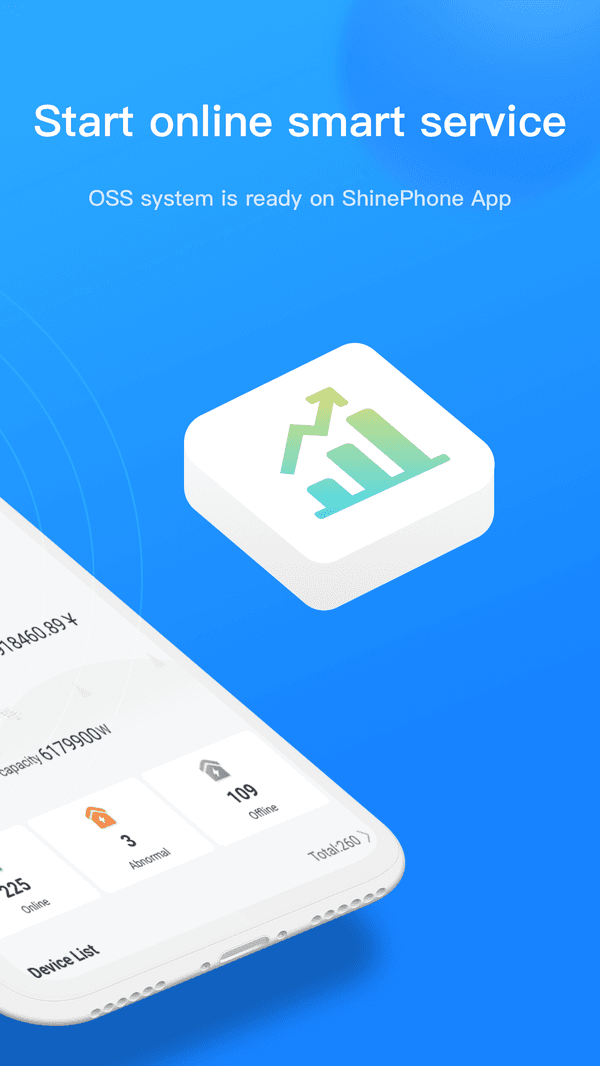
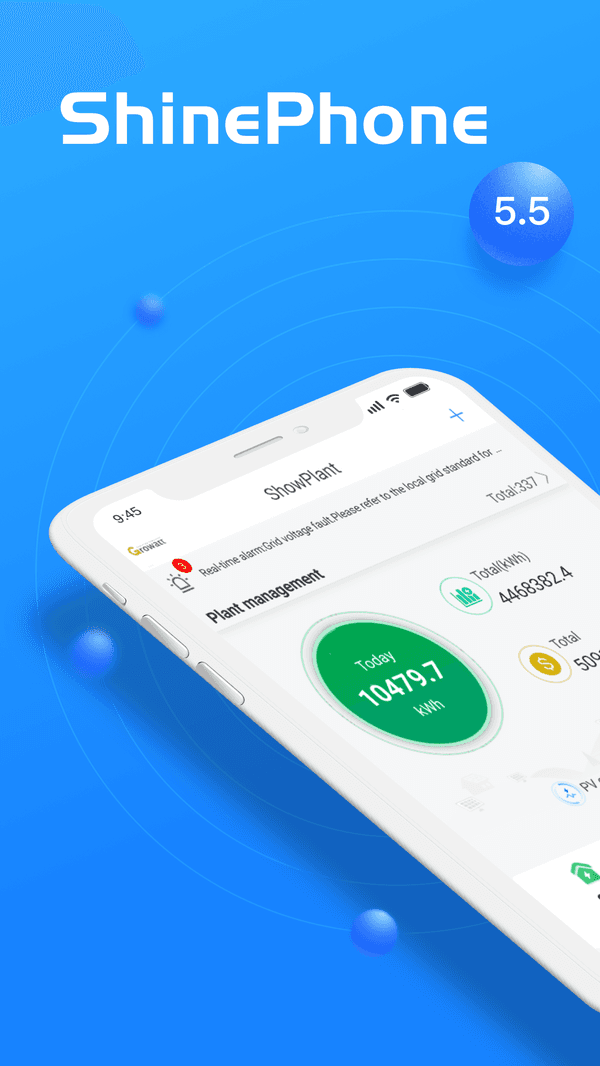
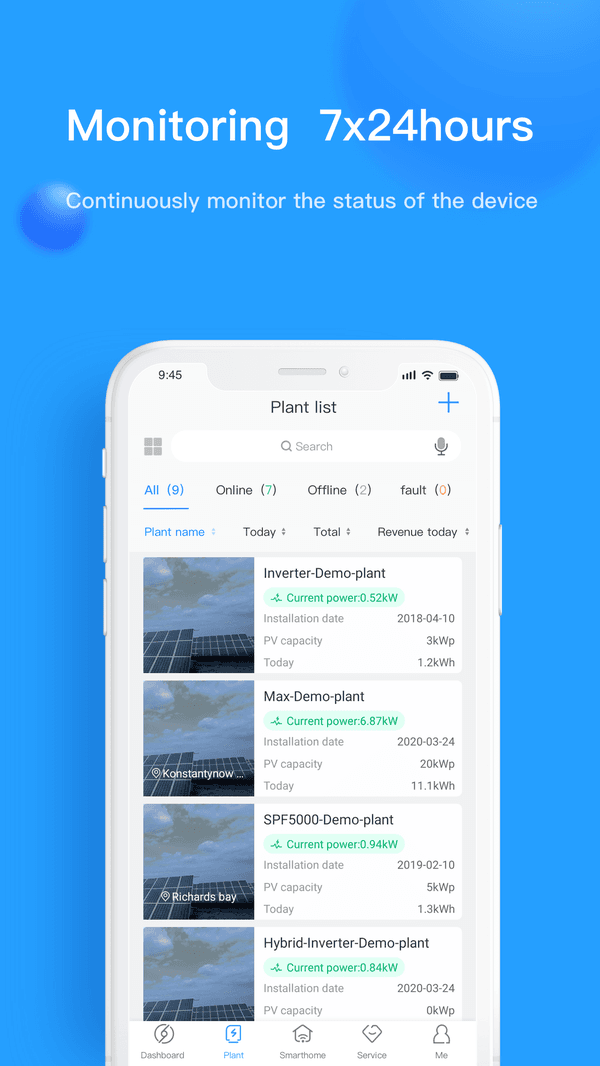
ShinePhone App device list with multiple Growatt invertersShinePhone App device list with multiple Growatt invertersShinePhone App monitoring dashboard showing solar generation and battery state of chargeShinePhone App device list with multiple Growatt invertersShinePhone App device list with multiple Growatt inverters
  • 1,000,000+

    Google Play installs

  • iOS · Android

    Platforms

  • 16 languages

    Available in

  • 4★ and above only

    Star reviews shown

Core features

Three things the ShinePhone App is built to do

Official feature pillars from Growatt — same wording you see in the App Store, expanded so you know what each one actually unlocks.

Energy monitoring

A unified dashboard for everything your Growatt system is doing right now — and what it did yesterday.

  • PV generation, battery SOC, household load and grid flow on one screen.
  • Daily, monthly and yearly charts with per-device drill-down.
  • Alarm and offline notifications when something is wrong.

Device management

One account, every site you own. Add devices by QR code and switch between plants in two taps.

  • Multi-plant and multi-device monitoring from one login.
  • QR / serial pairing for ShineWiFi-X, -S, -LAN and -WeLink.
  • Time-of-use schedules, battery-first / grid-first modes.

AI smart control

Where dynamic electricity tariffs exist, ShinePhone can optimise when to charge and discharge to lower your bill.

  • Day-ahead price feeds from supported European markets.
  • Auto charge/discharge schedules based on forecast price.
  • Manual override stays one tap away — you keep control.

Inside the app

What you'll actually see on the dashboard

Real screenshots from the App Store, not mockups. Tap to expand on iOS.

ShinePhone App live plant dashboard showing PV generation

01 / 05

Live plant dashboard

ShinePhone App energy flow diagram from PV to battery to grid

02 / 05

Energy flow

ShinePhone App battery view with state of charge

03 / 05

Battery & SOC

ShinePhone App multi-device list view

04 / 05

Device list

ShinePhone App AI smart scheduling settings

05 / 05

Smart scheduling

  1. 01

    Live plant dashboard

    ShinePhone App live plant dashboard showing PV generation

  2. 02

    Energy flow

    ShinePhone App energy flow diagram from PV to battery to grid

  3. 03

    Battery & SOC

    ShinePhone App battery view with state of charge

  4. 04

    Device list

    ShinePhone App multi-device list view

  5. 05

    Smart scheduling

    ShinePhone App AI smart scheduling settings

Setup

From box to dashboard in four steps

Once your Growatt hardware is installed, getting it visible inside the ShinePhone App is a one-time, ~10-minute job.

  1. 01 / 04

    Create your account

    Open the ShinePhone App, sign up with email, verify with the code, and pick your country to set the right tariff currency.

  2. 02 / 04

    Add a plant

    A plant is the home or site where your hardware lives. Set address and installed kW so the dashboard knows what to expect.

  3. 03 / 04

    Pair the datalogger

    Scan the QR code on your ShineWiFi-X / -S dongle, or type its serial number manually. The app will find it on the local network.

  4. 04 / 04

    Connect to 2.4 GHz Wi-Fi

    Growatt dataloggers only support 2.4 GHz. Pick your home SSID, enter the password, and watch the dashboard fill with data.

Stuck? See the step-by-step in the Help Center below.

Compatibility

Works with the Growatt hardware you already own

If it's a recent Growatt PV inverter, hybrid inverter, storage battery, datalogger or micro inverter, the ShinePhone App can monitor it.

Inverters

String PV inverters and hybrid storage inverters from the last several Growatt generations.

  • MIN-XH
  • SPH
  • SPF
  • TLX
  • MIC
  • MID

Batteries & storage

Wall-mounted and stackable battery modules — including the new NOAH balcony-storage line.

  • APX
  • ARK XH
  • ARK LV
  • NOAH 2000

Dataloggers

The dongles that bridge your inverter to the Growatt Cloud. 2.4 GHz Wi-Fi or Ethernet.

  • ShineWiFi-X
  • ShineWiFi-S
  • ShineLAN
  • ShineWeLink

Micro inverters

Per-panel inverters for balcony solar and small residential installs.

  • NEO 800
  • NEO 2000

Not sure if your specific model is supported? Sign in to the app and try adding it — unsupported devices are rejected with a clear error.

ShinePhone for PC

Want to see your data on a laptop?

There's no native ShinePhone client for Windows, macOS or Linux — but Growatt does offer a fully-featured web portal at server.growatt.com that uses the same login.

Use ShineServer in your browser

ShineServer is Growatt's web monitoring portal. It shows the same plants, devices and history as the mobile app, with a wider layout and easier data export. Log in with the same ShinePhone account you already created.

  • Identical plant, device and history data — synced from the same cloud.
  • Better for spreadsheets — export to CSV for monthly or yearly reports.
  • Useful for installers — bulk-manage many plants from one screen via OSS.
Open ShineServerOpen OSS (installers)
server.growatt.com

ShineServer Web Portal

Same login. Bigger screen. CSV export.

By the numbers

Real reach, not vanity metrics

These are sourced from the live App Store and Play Store listings — not invented.

Google Play installs
1M+
Supported languages
16
Supported Growatt devices
100+
On the App Store
13 yrs

Help center

Find the answer in under 60 seconds

Topical guides for the questions that bring most people here — eight categories, each with a deep dive.

  • Getting started

    Register an account, create a plant and add a data logger to connect your first device.

  • ShineWiFi installation

    Wire the ShineWiFi, download the app, configure the network and add the device.

  • Shine 3G / ShineGPRS installation

    Install the SIM, wire it up and register the Shine 3G / ShineGPRS data logger.

  • Real-time monitoring

    View revenue, generation and device status, and read your plant's detailed data.

  • Troubleshooting

    Data logger offline, inverter offline, wrong chart time and other common issues — with fixes.

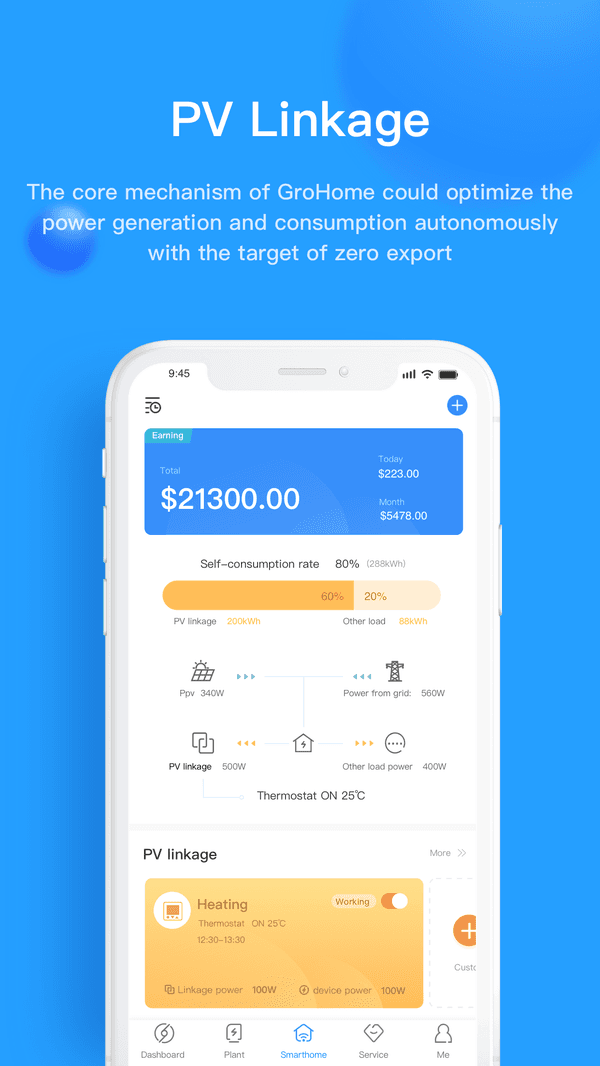
  • Smart dispatch & PV linkage

    Set up smart dispatch plans and PV linkage for GroBoost and EV chargers.

  • Device settings & control

    Change inverter parameters, verify the control password and review typical device settings.

  • Service & renewal

    Online support, knowledge manual, device repair and GPRS data SIM renewal.

Browse all docs

What real users say

Verified 4★+ reviews from the App Store & Google Play

Ramón Aguirre

ShinePhone user · United States

I've been using ShinePhone for almost a year and it's so capable and informative. Linking the inverter, data logger and app has been very easy.

cc95658

ShinePhone user · United States

I use it daily to monitor my two Growatt inverters. I set the time increment to 0.2 for an accurate real-time picture of what's going on.

Off-grid Solar User

ShinePhone user · United States

I have been using this app for a few years and they keep improving it with updates. It's essential for managing my off-grid solar system.

Andye333

ShinePhone user · United Kingdom

I've had no issues with reading the data. All seems live and accurate. Decent reporting on grid input, battery SOC and usage.

iTopsy

ShinePhone user · United Kingdom

ShinePhone app works very well — I have gained so much insight on what my panels are generating.

Principal Cabe

ShinePhone user · United Kingdom

This app works really well, showing you all the data that you would ever want as a novice to solar. It lets me monitor the PV output and exactly where it is going.

Ramón Aguirre

ShinePhone user · United States

I've been using ShinePhone for almost a year and it's so capable and informative. Linking the inverter, data logger and app has been very easy.

cc95658

ShinePhone user · United States

I use it daily to monitor my two Growatt inverters. I set the time increment to 0.2 for an accurate real-time picture of what's going on.

Off-grid Solar User

ShinePhone user · United States

I have been using this app for a few years and they keep improving it with updates. It's essential for managing my off-grid solar system.

Andye333

ShinePhone user · United Kingdom

I've had no issues with reading the data. All seems live and accurate. Decent reporting on grid input, battery SOC and usage.

iTopsy

ShinePhone user · United Kingdom

ShinePhone app works very well — I have gained so much insight on what my panels are generating.

Principal Cabe

ShinePhone user · United Kingdom

This app works really well, showing you all the data that you would ever want as a novice to solar. It lets me monitor the PV output and exactly where it is going.

Bazoioi

ShinePhone user · United Kingdom

Great app — very easy to understand, user-friendly with a good interface.

Andyuy

ShinePhone user · Australia

Despite the negative reviews this app works really well for me. It reliably tracks and records solar power generation, which is the main point of the app.

Paul (Tasmania)

ShinePhone user · Australia

The ShinePhone app works well with our Growatt solar inverter and consumption monitoring option. The data presentation is clear and useful.

Richard Sargent

ShinePhone user · Australia

Really like the data and history and graphing. Great job — been using it for nearly 3 years.

Fred van Onck

ShinePhone user · Netherlands

The app is working fine without any interruption for over two years now. The data is accurate and fairly well presented.

Mauro B.

ShinePhone user · Italy

I find it very detailed and complete with all the essential information for monitoring my system.

Bazoioi

ShinePhone user · United Kingdom

Great app — very easy to understand, user-friendly with a good interface.

Andyuy

ShinePhone user · Australia

Despite the negative reviews this app works really well for me. It reliably tracks and records solar power generation, which is the main point of the app.

Paul (Tasmania)

ShinePhone user · Australia

The ShinePhone app works well with our Growatt solar inverter and consumption monitoring option. The data presentation is clear and useful.

Richard Sargent

ShinePhone user · Australia

Really like the data and history and graphing. Great job — been using it for nearly 3 years.

Fred van Onck

ShinePhone user · Netherlands

The app is working fine without any interruption for over two years now. The data is accurate and fairly well presented.

Mauro B.

ShinePhone user · Italy

I find it very detailed and complete with all the essential information for monitoring my system.

Common questions

Quick answers — ShinePhone App

Eight questions cover what most new users want to know. Each has a longer walkthrough in the Help Center.

ShinePhone App icon

Get the ShinePhone App now

Free on iOS and Android. Pair with your existing Growatt datalogger and you'll see your first reading inside ten minutes.

Download on theApp StoreGet it onGoogle Play

Latest version 8.4.8.0 · iOS 12.0+ · Android · ~250 MB

App Store QR code
Scan for App Store
Google Play QR code
Scan for Google Play
LogoShinePhone App

Monitor your Growatt solar & battery system — anywhere.

Product
  • Features
  • FAQ
Resources
  • Blog
  • Documentation
  • Changelog
  • Roadmap
Company
  • About
  • Contact
  • Waitlist
Legal
  • Cookie Policy
  • Privacy Policy
  • ShinePhone App Privacy
  • Terms of Service
© 2026 ShinePhone App. All Rights Reserved.·Sitemap